
Papyrus Lint goes far beyond style
PapyrusCompiler.exe only checks that a script is syntactically valid — it will happily compile a script that dereferences a None object at runtime, passes a String where an Int is expected, returns the wrong type from a function, compares an Int to a Float inexactly, or contains a branch that can never execute. Papyrus Lint performs deep correctness, reliability, and performance checks across your .psc source, on top of the formatting and style checks a linter usually provides — as a desktop app, a CLI, a LSP Server and editor extensions.
A simple example
This compiles cleanly, but silently passes the wrong argument:
Function DoSomething(Actor a, Actor b, Form SomeItem)
    a.RemoveItem(SomeItem, 1, b);
EndFunctionFunction DoSomething(Actor a, Actor b, Form SomeItem)
a.RemoveItem(SomeItem, 1, false, b);
EndFunctionFunction DoSomething(Actor a, Actor b, Form SomeItem)
a.RemoveItem(SomeItem, 1, b); ; @disable
EndFunction The Strict boolean check lint catches this: the first call passes the Actor value b to a Bool parameter — a mistake that cost real debugging time in one of the author's own mods. A trailing ; @disable comment silences it on that line, for the rare case where you actually meant to write it that way.
What is a linter?
A linter is a tool that scans source code for patterns that are likely to be mistakes, bad practice, or inconsistent style, without actually running the code. It works from heuristics — recognizable patterns known to often cause problems — rather than proving that a given line is definitely wrong. Because of that, a linter can produce false positives. Treat every diagnostic as advice, not a guaranteed defect report: use your own judgment, and use an ; @disable comment to silence a rule you've decided doesn't apply.
What this is NOT
A compiler (it uses the standard Papyrus compiler under the hood), an editor, a guarantee a script is fit for purpose, or a replacement for proper testing.
What this IS
A desktop app, standalone CLI, and editor extensions that all share one lint/repair engine, so a diagnostic looks and behaves the same everywhere you run it. It supports Skyrim Special Edition / Anniversary Edition, Skyrim Legendary Edition, Fallout 4, and Starfield.
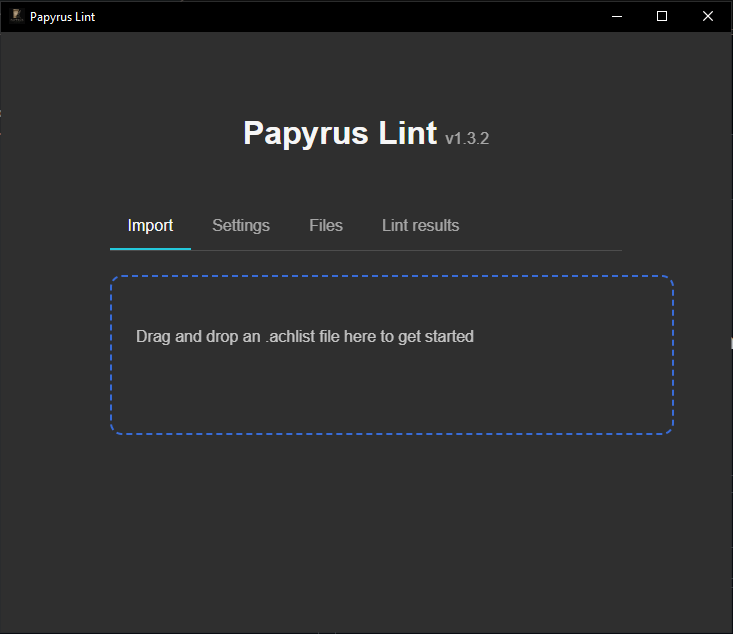
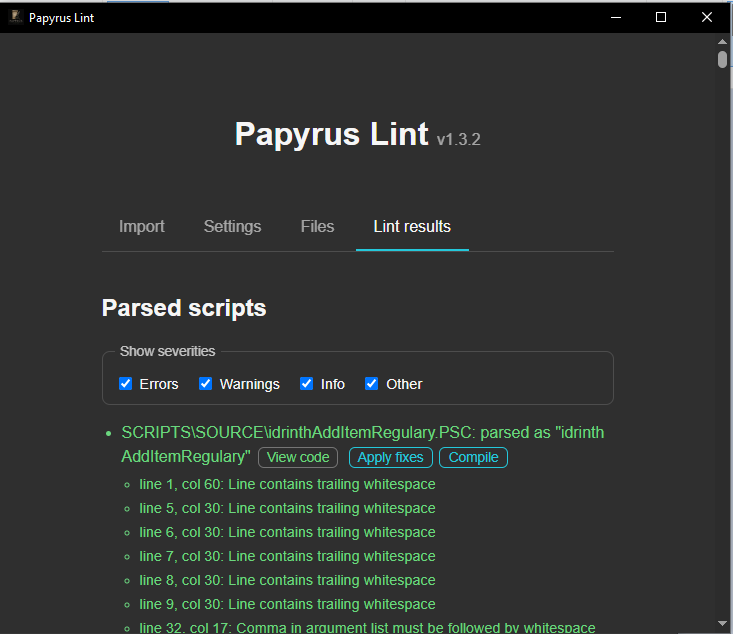
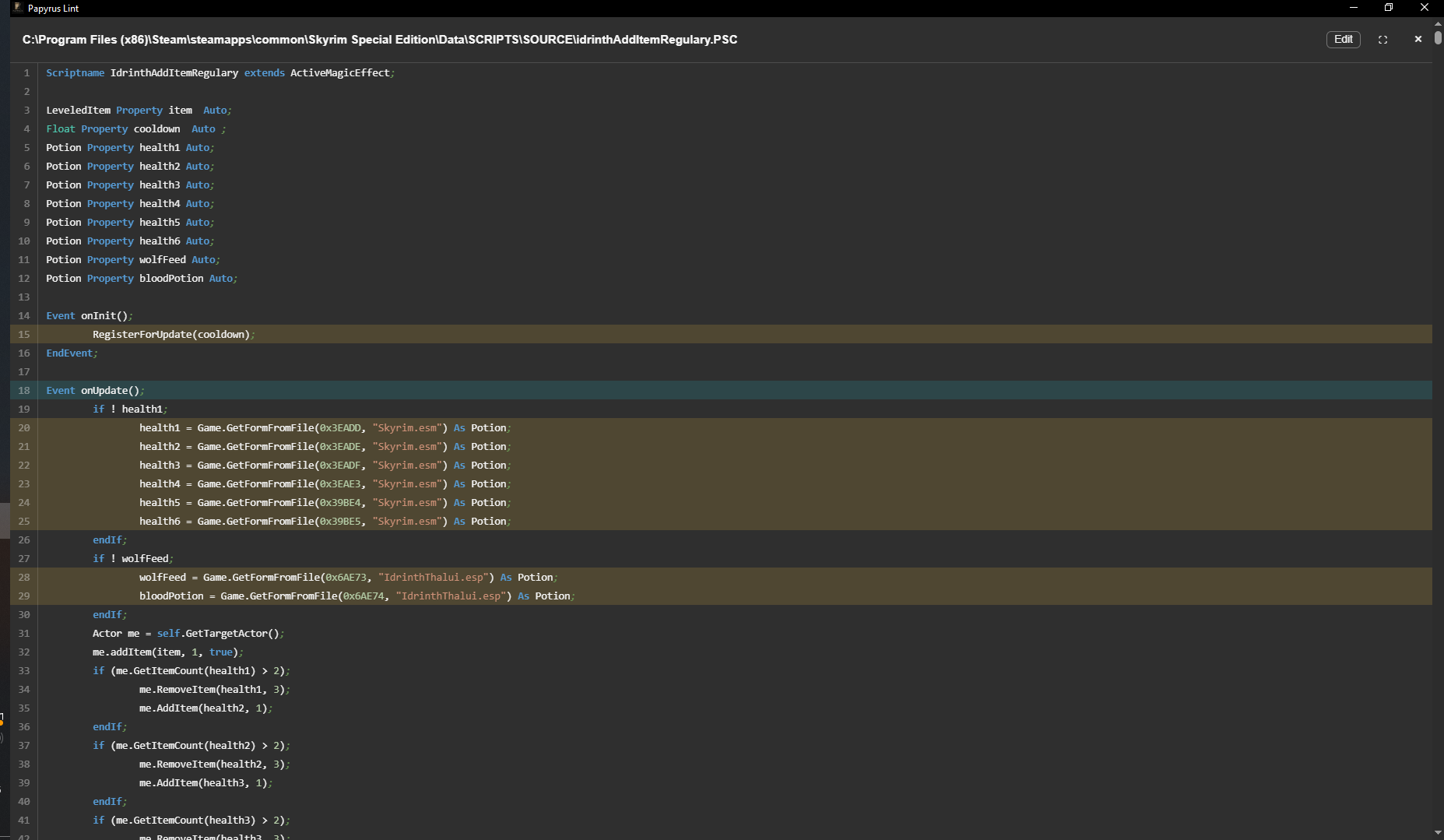
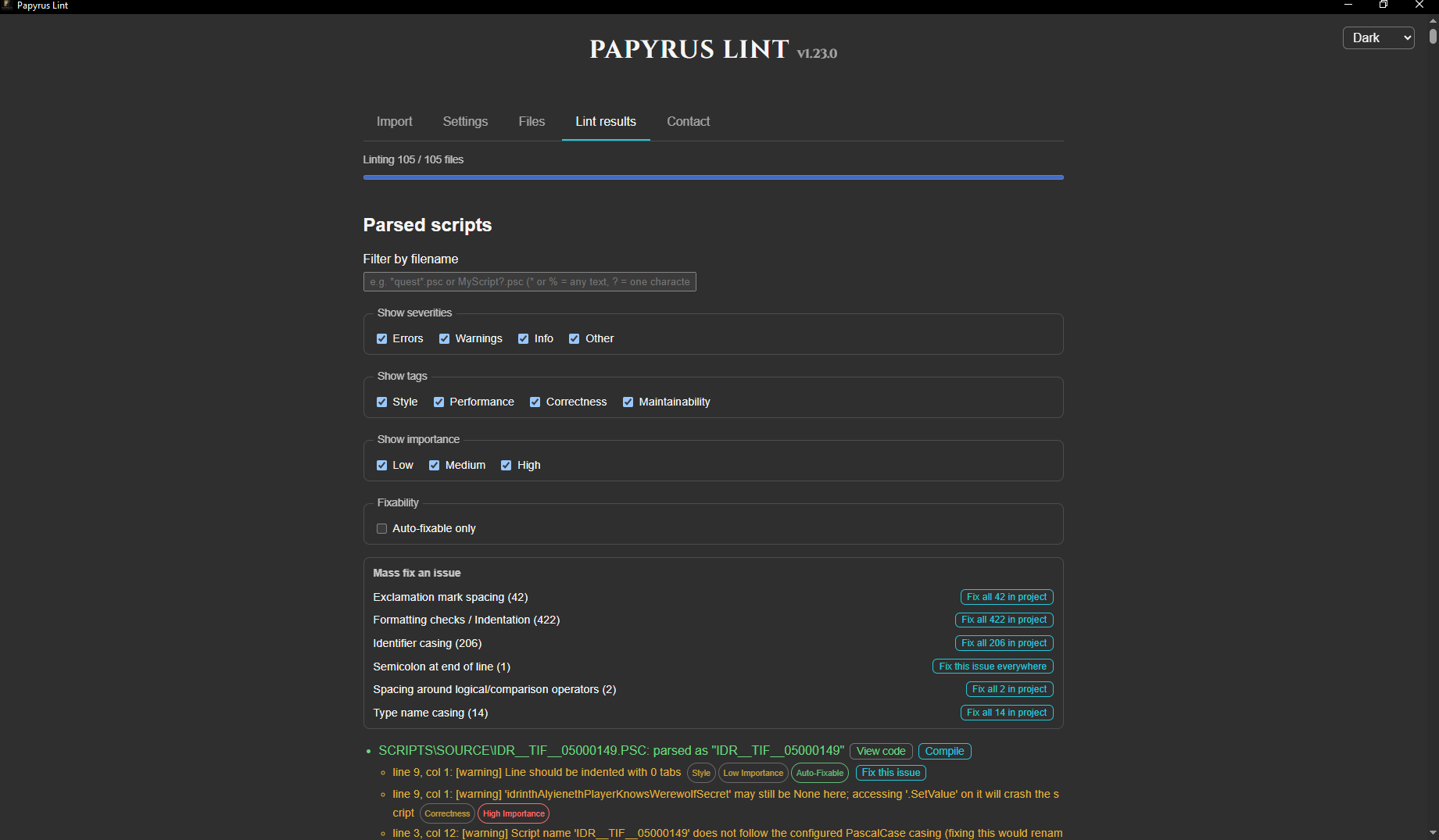
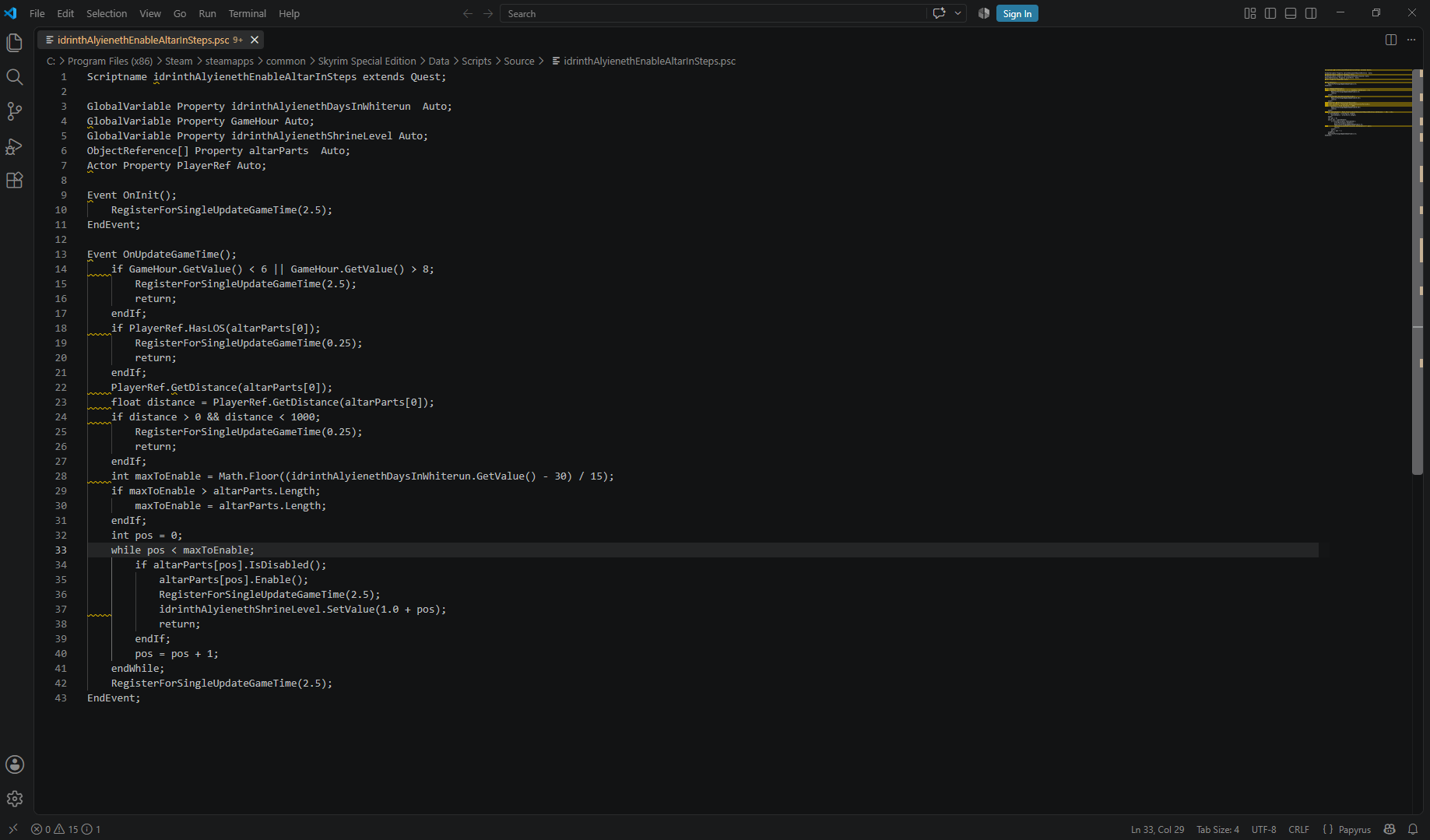
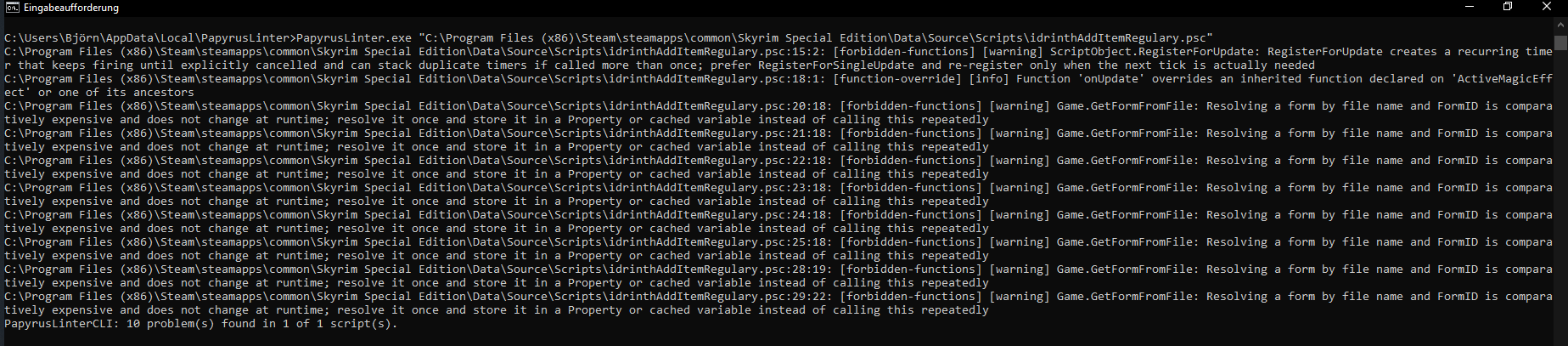
See it in action
Drop a .achlist, a single .psc file, a .ppj file, or a folder to scan recursively, to get started.
Implemented lints
Papyrus Lint performs deep correctness, reliability, and performance checks across your .psc source, on top of the formatting and style checks a linter usually provides, so a mod author finds these problems at write time instead of from a bug report. Every rule works from raw source or lexer tokens rather than requiring a script that parses cleanly. For a searchable, filterable reference of every implemented lint, with each rule's id, severity, tags, auto-fix support, and full documented behavior, see the full lint rule reference.
Add a trailing ; @disable <rule-id>[, <rule-id>...] comment to a line to suppress diagnostics from those rules on that line only (e.g. action = 1 ; @disable float-to-int); a bare ; @disable suppresses every rule on the line. A ; @disable-file <rule-id>[, <rule-id>...] comment does the same across the whole file instead, no matter which line it's written on (e.g. ; @disable-file float-to-int). See the full lint rule reference for each rule's id.
Command-line interface
The standalone PapyrusLinterCLI binary lints an .achlist, a .psc, or a directory without a GUI. See the CLI reference for subcommands, project resolution, and report formats.
PapyrusLinterCLI help
PapyrusLinterCLI version
PapyrusLinterCLI lint path/to/project.achlist
PapyrusLinterCLI lint path/to/Project.ppj
PapyrusLinterCLI init --game skyrim
PapyrusLinterCLI init --game skyrim --preset standard
PapyrusLinterCLI init --game fallout4 --preset my-team
PapyrusLinterCLI preset add my-team path/to/papyrus-lint.yaml
PapyrusLinterCLI preset add my-team path/to/papyrus-lint.yaml --yes
PapyrusLinterCLI preset list
PapyrusLinterCLI doctor path/to/project.achlist
PapyrusLinterCLI doctor --format json path/to/project.achlist
PapyrusLinterCLI doctor path/to/Project.ppj
PapyrusLinterCLI lint path/to/Example.psc
PapyrusLinterCLI lint path/to/scripts/source
PapyrusLinterCLI fix path/to/project.achlist
PapyrusLinterCLI fix path/to/Example.psc
PapyrusLinterCLI fix --type trailing-whitespace path/to/Example.psc
PapyrusLinterCLI fix --line 12 --type trailing-whitespace path/to/Example.psc
PapyrusLinterCLI fix --dry-run path/to/project.achlist
PapyrusLinterCLI lint --tag style path/to/project.achlist
PapyrusLinterCLI fix --tag style path/to/project.achlist
PapyrusLinterCLI lint --format json path/to/project.achlist
PapyrusLinterCLI lint --format ai path/to/project.achlist
PapyrusLinterCLI lint --format ai --hash-source path/to/project.achlist
PapyrusLinterCLI fix --format json path/to/project.achlist
PapyrusLinterCLI lint --config path/to/papyrus-lint.yaml path/to/Example.psc
PapyrusLinterCLI lint --script-root path/to/SharedScripts path/to/project.achlist
PapyrusLinterCLI lint --output path/to/report.txt path/to/project.achlist
PapyrusLinterCLI lint --format json --output path/to/report.json path/to/project.achlist
PapyrusLinterCLI lint --short-paths path/to/project.achlist
PapyrusLinterCLI lint --color never path/to/project.achlist
PapyrusLinterCLI lint --progress --output path/to/report.txt path/to/project.achlist
PapyrusLinterCLI lint --threads 8 path/to/project.achlist
PapyrusLinterCLI lint --threads 1 path/to/project.achlist
PapyrusLinterCLI lint --blob "ScriptName Example extends ObjectReference"
PapyrusLinterCLI lint --format json --blob "ScriptName Example extends ObjectReference"
PapyrusLinterCLI lint --config path/to/papyrus-lint.yaml --blob "ScriptName Example extends ObjectReference"
It exits 0 when nothing failing was found, 1 when something was, and 2 on a usage or I/O error — so it can gate a CI step on a clean lint run. The preferred way to run it in CI is the Papyrus Lint GitHub Action (idrinth/papyrus-lint-action), which posts findings as inline PR review comments. See the CLI reference for every flag.
Configuration
Lint/fix behavior is configured via an optional papyrus-lint.yaml (or .yml) at the project root. Keys you omit fall back to their documented defaults. PapyrusLinterCLI init writes the full default file. See the configuration reference for where that file is resolved and what every key does.
Integrations
The desktop app, CLI, LSP Server and both editor extensions all use the same lint and repair engine, so a diagnostic matches wherever you run it.
SublimeLinter plugin
Runs PapyrusLinterCLI against a saved .psc and reports SublimeLinter diagnostics.
LSP Server
Runs Papyrus Lint as a LSP server to provide linting and fixing for other editors.
View sourceGitHub Action
Runs Papyrus Lint in CI and posts findings as inline review comments on pull requests.
Documentation
Reference material from the project's docs/ directory, published here as browsable pages alongside their raw source on GitHub.
- Project structure
The canonical repository tree and the responsibilities of its apps, crates, integrations, and tooling.
- Papyrus Lint CLI Usage
The full call suite of the Papyrus Lint CLI.
- Examples
Real bugs Papyrus Lint catches that PapyrusCompiler.exe lets through, beyond the README's example.
- Annotations
Comment annotations for API metadata, lint suppression, and declaration visibility.
- Using PapyrusLinterCLI in a GitHub Action
A minimal GitHub Actions workflow that lints a project on every push and pull request.
- Configuration reference
The full papyrus-lint.yaml configuration reference: every key, presets, and desktop app settings.
- Command-line interface reference
The full PapyrusLinterCLI reference: every subcommand and flag, JSON output, and exit codes.
- Running Papyrus Lint in Docker
Running Papyrus Lint as a container in CI, and verifying release image/binary signatures.
- Fixing lint findings in the desktop app
How the desktop app applies, previews, and exports lint fixes.
- Compiling a script from the desktop app
How the desktop app compiles a script with PapyrusCompiler.exe and strips build machine info.
- Default configuration (papyrus-lint.yaml)
The full default papyrus-lint.yaml, with every key's default value documented inline.
- Papyrus Lint project configuration
The JSON Schema for papyrus-lint.yaml / papyrus-lint.yml project configuration files.
- Papyrus Lint CLI report
The JSON Schema for the report PapyrusLinterCLI --json emits.
- Papyrus Lint Export for AI document
The current JSON Schema for documents produced by the desktop app's Export for AI feature.
- Papyrus Lint Export for AI document
The frozen v4 JSON Schema for Export for AI documents, superseded by v5 above.
- Papyrus Lint Export for AI document
The frozen v3 JSON Schema for Export for AI documents, superseded by v4 above.
- Papyrus Lint Export for AI document
The frozen v2 JSON Schema for Export for AI documents, superseded by v3 above.
- Papyrus Lint Export for AI document
The frozen v1 JSON Schema for Export for AI documents, superseded by v2 above.
Thank Yous
A big thank you to WraithFallen for doing a massive testing run on the versions of this tool, helping find bugs and improve it further with their dedication to rooting out false positives.
Scrivener07 deserves a huge thank you for helping me review the linting rules in a long call. I appreciate the feedback and willingness to test what I assumed to be best practice.
Another thank you to s3ngine and wall416 over on NexusMods for spotting bugs and reporting them in the early development of the tool.
Also thank you to DavidJCobb from the r/skyrimmods discord for giving me critical feedback and encouraging me further to clean up the ai slop here.
A last thank you to Vict over at x.com/VictMangle for the new logo.
How to help
You can help the project by:
- Providing examples of false positives.
- Providing examples of false negatives.
- Giving feedback on the existing rules.
- Proposing new rules or adjustments to existing ones.
- Reviewing code.
- Writing code.
- Writing or suggesting tests.
- Sponsoring development.